
“From the one who has been entrusted with much, much more will be asked.”
Count the cost while you can still change it.
Ministry leaders price their events honestly. Everything rolls into one annual number. And the finance office sees what the church is being asked to cover — before anybody has committed to it.
See what the church would cover
Change the numbers and the costs. This runs the same engine the app does — including the awkward part, where a cost comes in whole units and you cannot buy nine tenths of a bus.
Each covers 40. You need 2 for 45 people — 35 spare spots you're paying for. Person 81 adds another $850.
At $215 a head, families are $44 per person short of what it costs. The church quietly covers the $2,000 gap.
“Know well the condition of your flocks, and give attention to your herds, for riches do not last forever; and does a crown endure to all generations?”
Every ministry's history lives in somebody's head, and it leaves when they do.
“What did this cost us last year?”
It stops the meeting. The number is in the accounting software somewhere, and getting it out takes someone with the login and an afternoon to spare. The decision rarely waits that long.
“About the same as last year, probably.”
Estimating and guessing are the same thing until somebody writes down what it actually cost. Most weeks that job comes twelfth on a list with room for eleven.
“The last youth minister handled all that.”
They did, and they took four years of numbers with them. So the next one prices summer camp off their old church — different town, different size, different costs. It is the only reference they have.
Nobody is doing anything wrong here. People move on, and what they knew goes with them. Much Entrusted keeps the numbers where the next person will look — every event holds what it planned and what it actually cost, so “what did this cost last year” is a page you open, not a project you schedule. And when it comes round again, next year's plan opens with this year's real costs already in it.
Your accounting software already knows what was spent, and it is better at that than we will ever be. What it cannot tell you is what a summer camp costs to run. That is a different question, asked earlier, and it is the one we answer.
“Suppose one of you wants to build a tower. Won't you first sit down and estimate the cost to see if you have enough money to complete it?”
Sit down and count it first
Plan and price the event
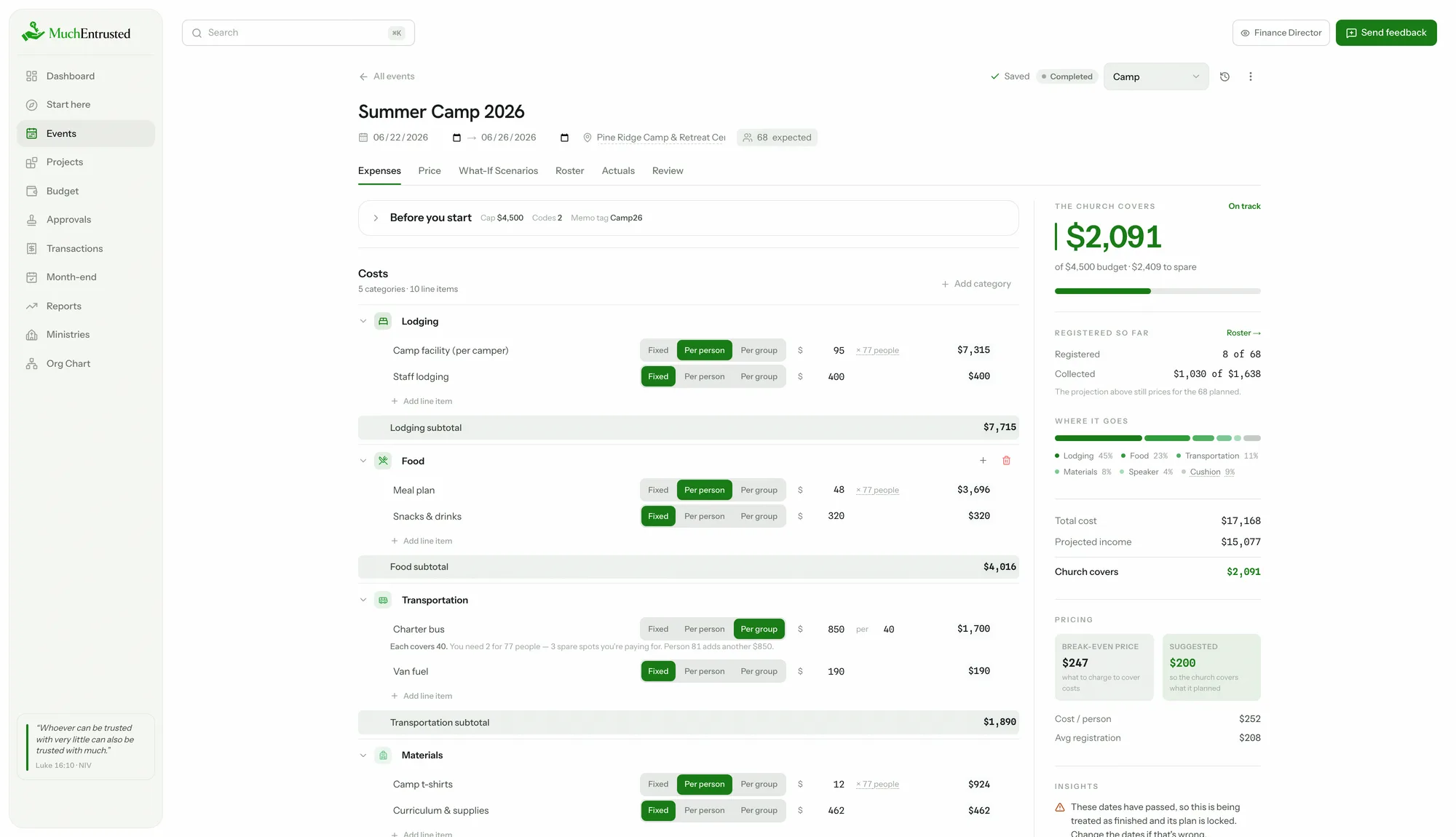
Costs, registration tiers, scholarships — the church's share computes live as you type, with the price per participant and a suggestion right on the slider.
Roll it into the budget
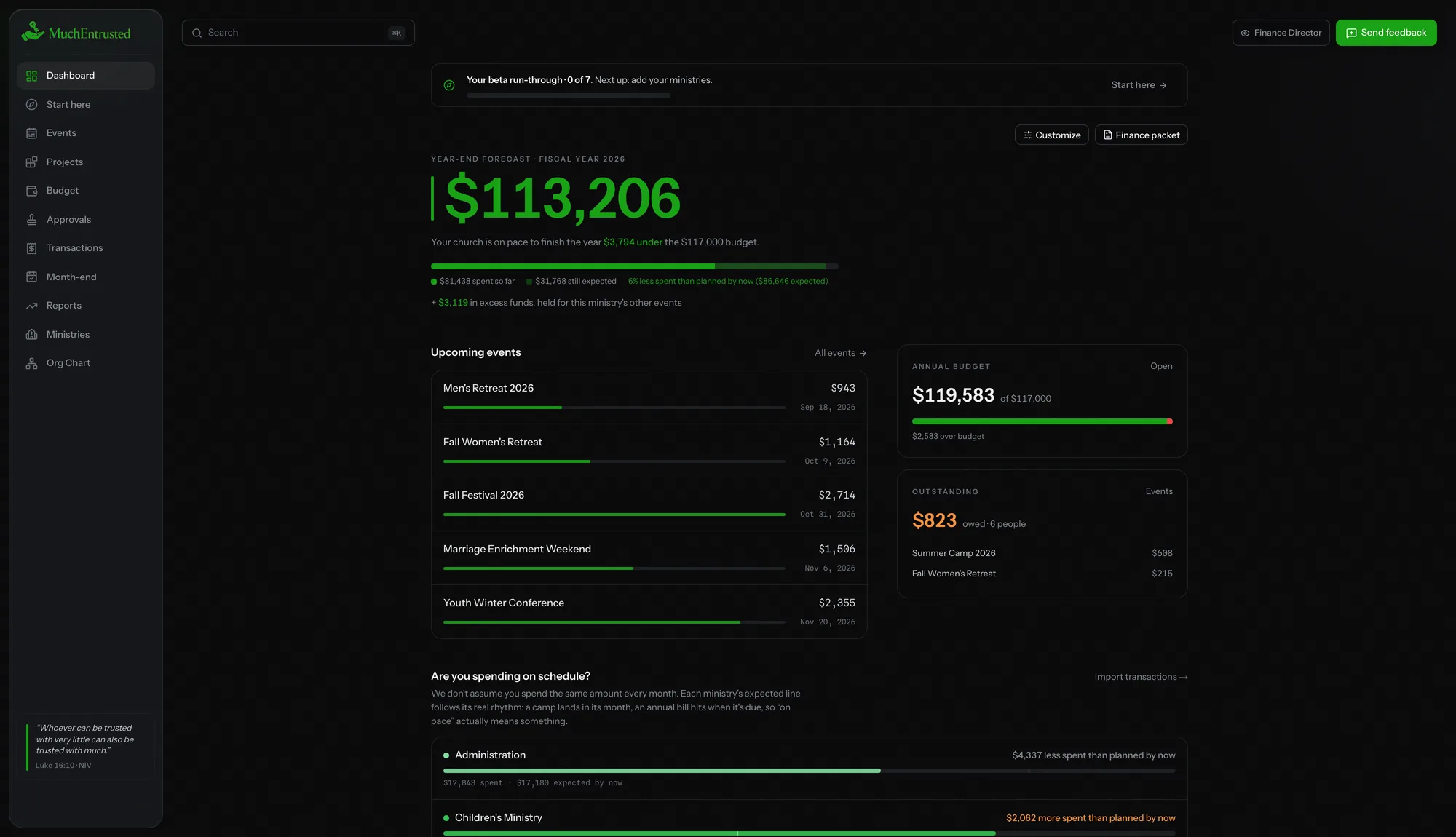
Every event flows into one annual number, tracked against the budget your committee approved — by ministry, all year, automatically.
Hand the board the packet
A print-ready proposal with nothing left out: what families pay, where the money goes, what the church covers, and a line to sign. Questions answered before they're asked.
“By wisdom a house is built, and by understanding it is established.”
From a single event to the annual budget
Event calculator
Price with confidence, not guesswork
Tiers, early-bird and sibling discounts, per-person and fixed costs, scholarships, a cushion for surprises — and the church's share recomputing live as you type.
- The price per participant that covers costs, calculated for you
- See how the numbers shift if turnout runs high or low
- Actuals compared against the plan when it's over
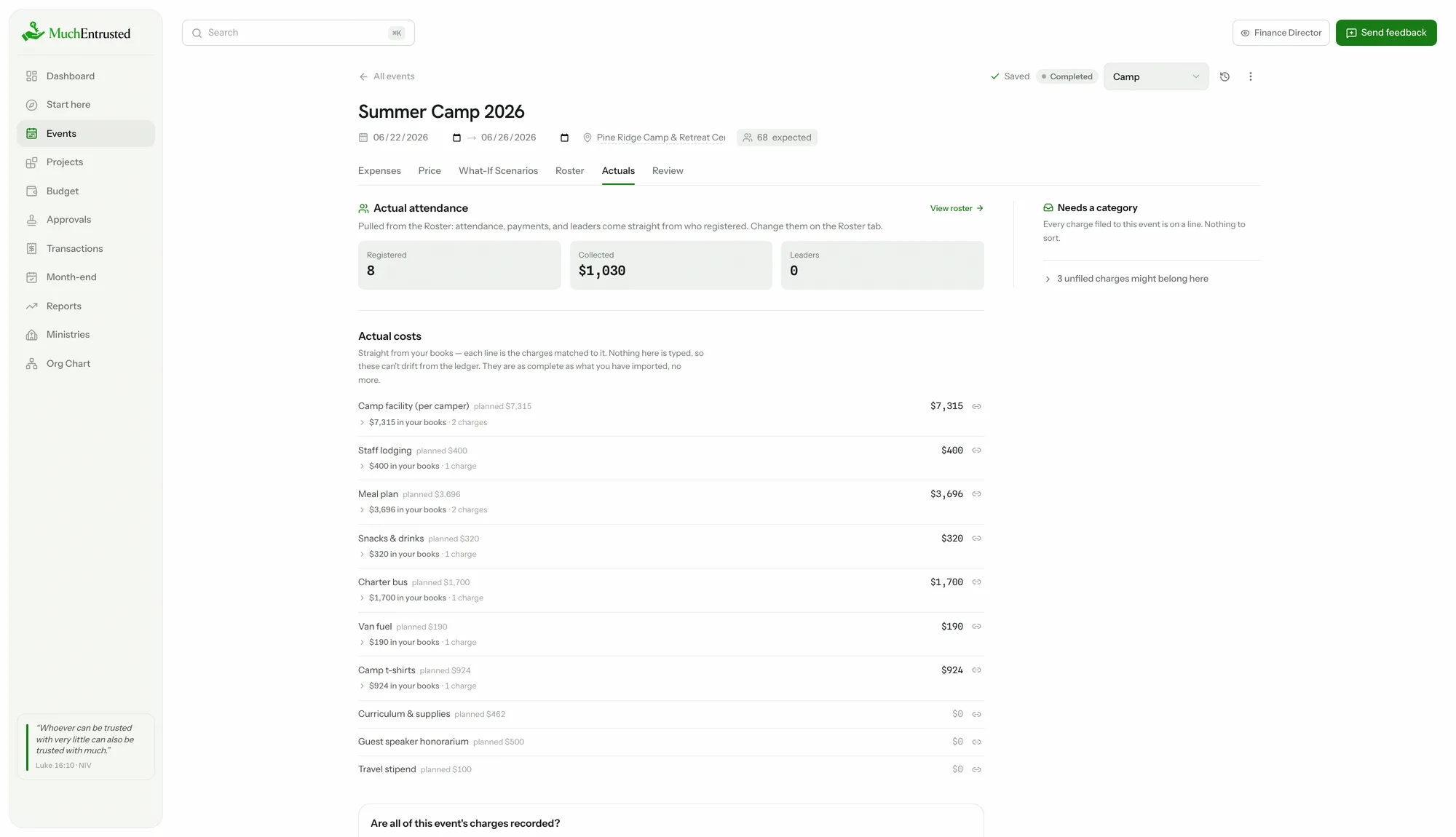
Actuals & roll-forward
Next year starts where this year ended
When the event is done, each category shows what your books actually charged to it beside what you planned. Roll the event forward and next year opens with those real numbers already in place — so the next person plans from what happened, not from what anyone remembers.
- Every line seeded with what it truly cost, not last year's estimate
- A bus rolls forward at what one bus cost, a per-person line at what one person cost
- Lines with no real figure scale by how far the event ran from its plan, never by a percentage somebody guessed
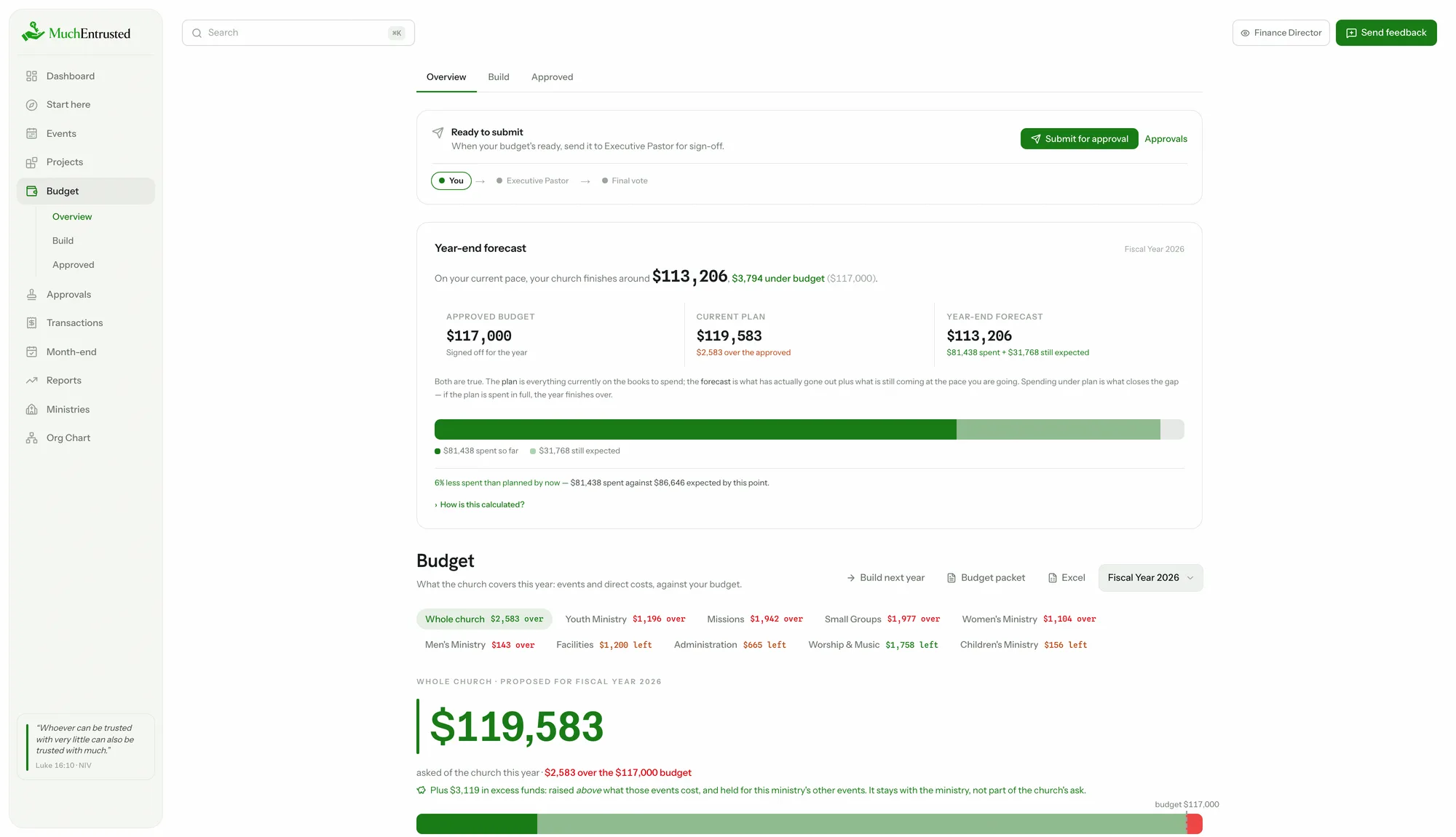
Annual budget
One number your leadership can trust
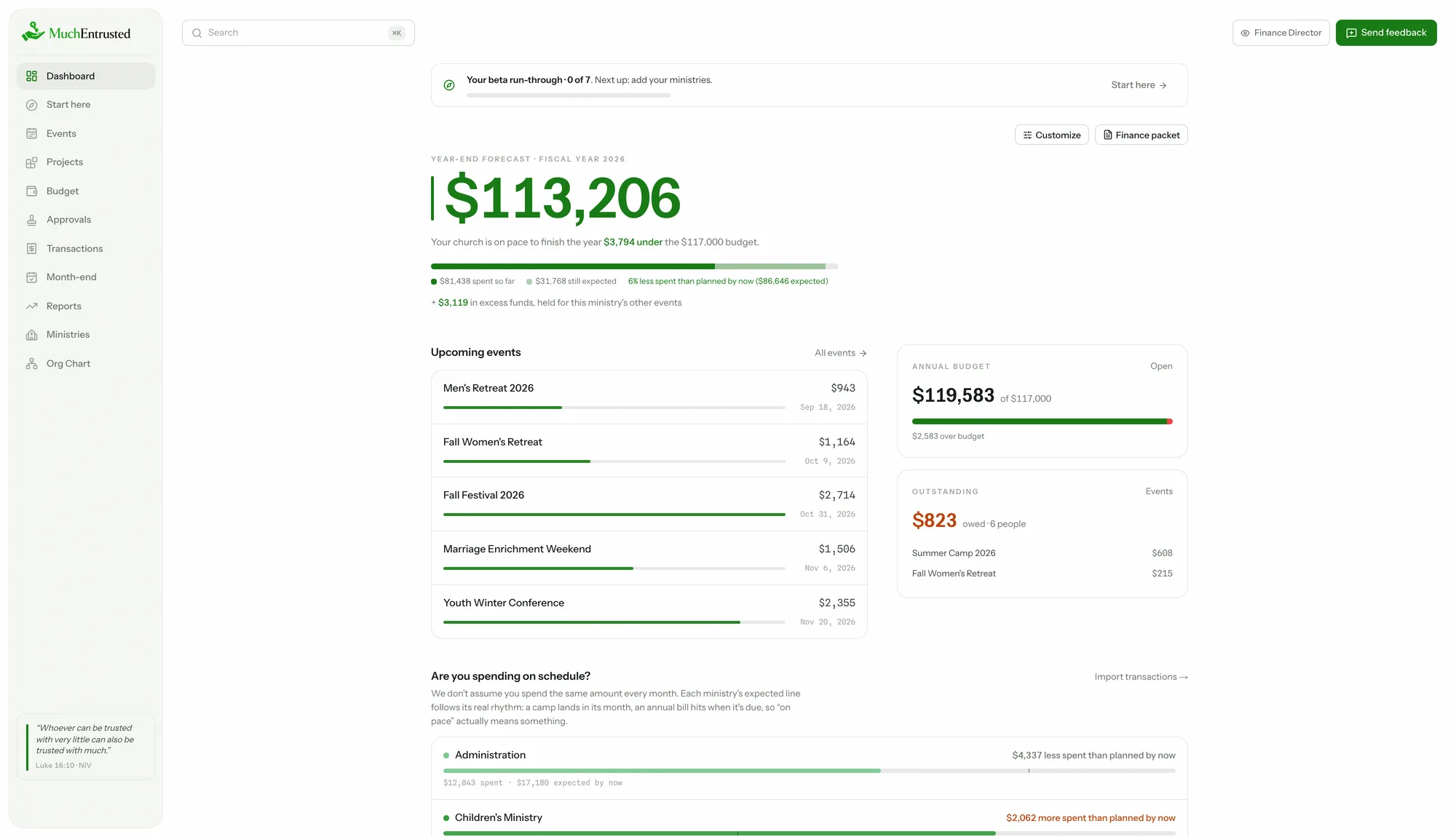
It walks you through next year's plan — events roll up on their own, direct ministry costs sit beside them, and the whole thing tracks against the budget your leadership approved, with a plain-English sentence explaining the math.
- Freeze an approved baseline and track against it all year
- Per-ministry budgets with over / on-track status
- Designated surplus reported honestly, never netted away
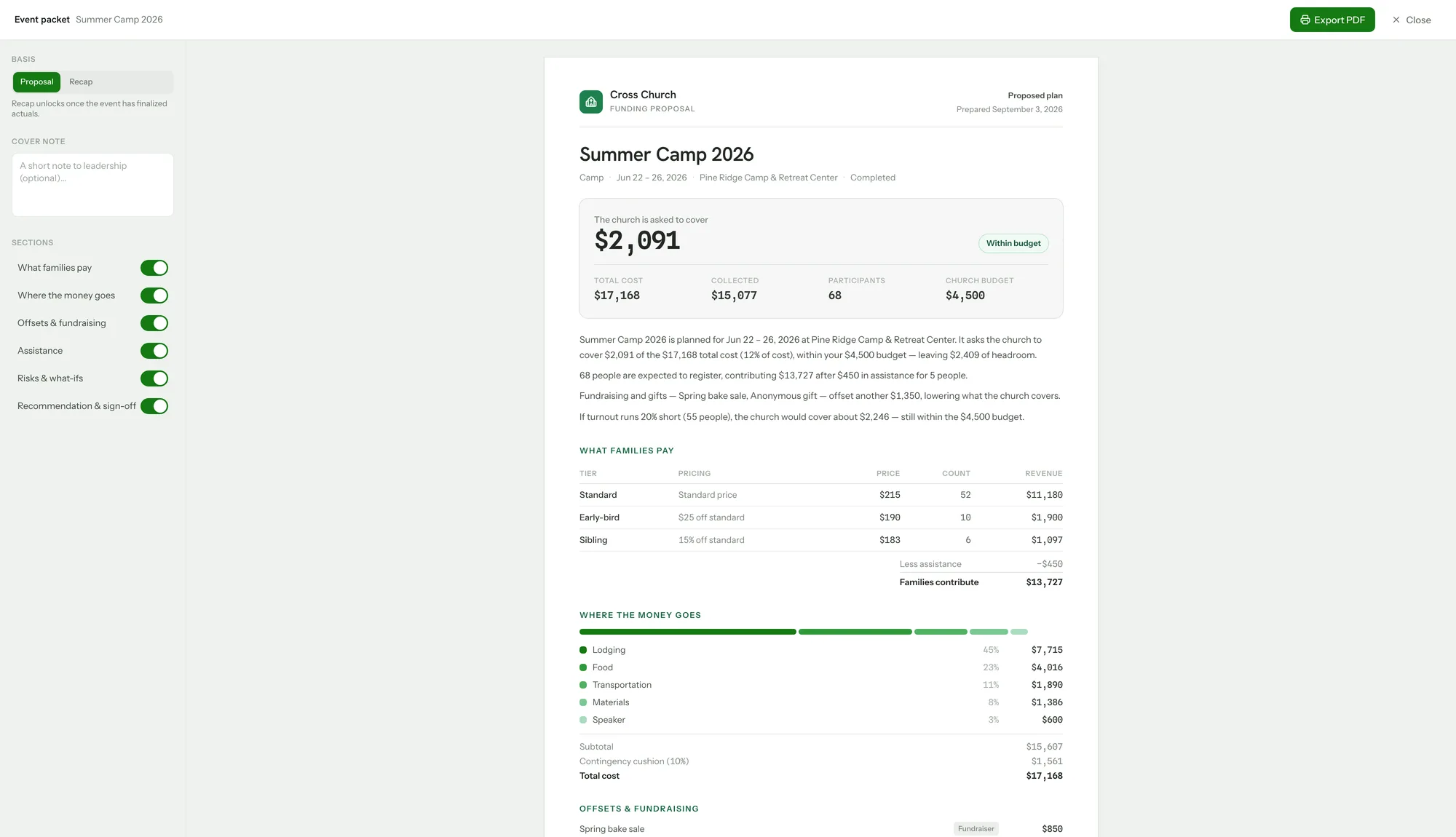
Proposal packet
Walk in with the answer
One click builds a print-ready packet — a proposal before the event, a recap after. What families pay, where every dollar goes, what the church covers, and a line for sign-off.
- Proposal and recap versions, chosen automatically
- Add a cover note; show or hide sections for whoever signs off
- Export to PDF from the browser
Reports
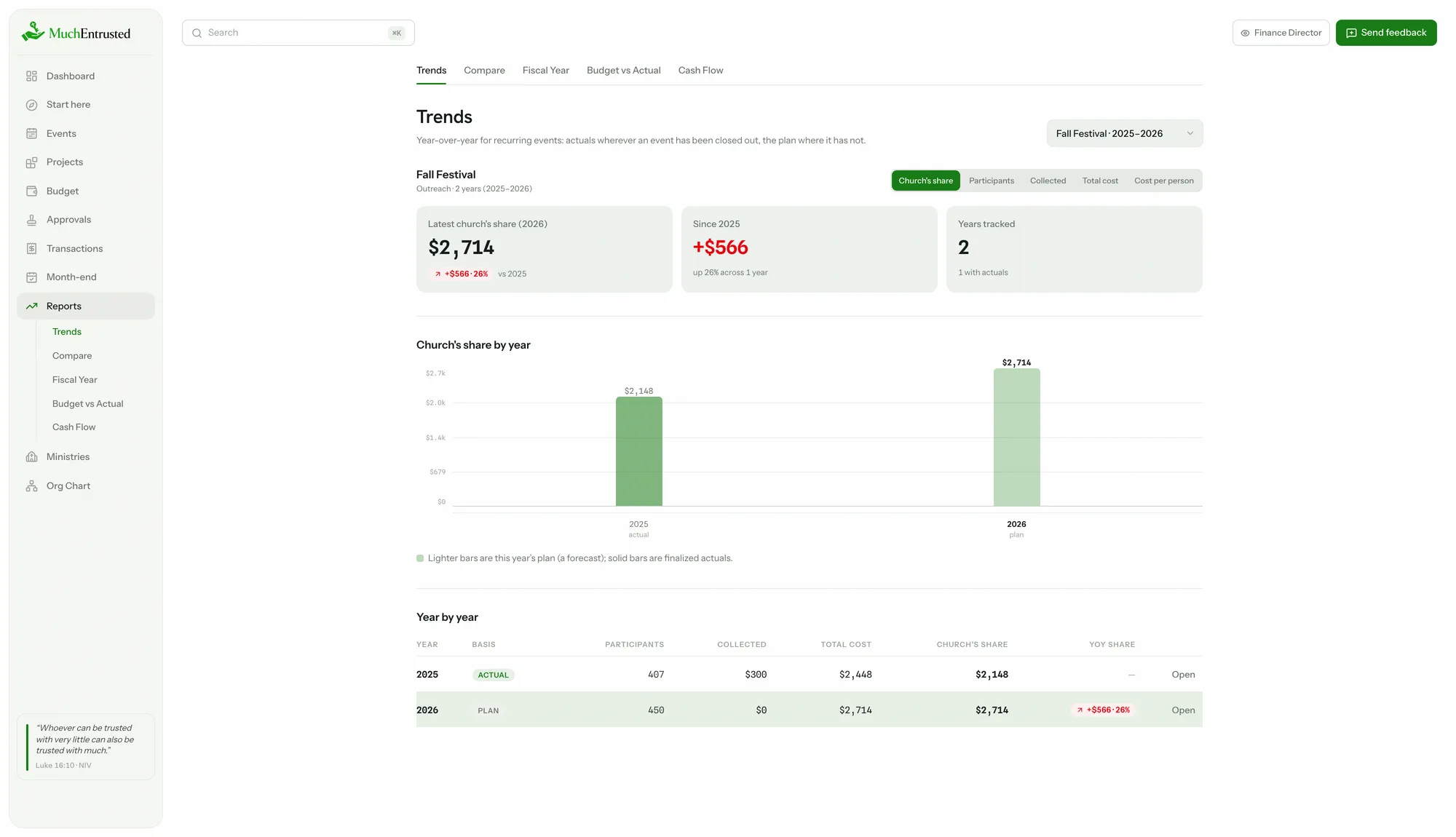
Know if it's working, year over year
Name repeat events alike and they line up on their own: the church's share, attendance, and cost per person across years — actuals where finalized, this year's plan where they aren't.
- Compare any two events side by side
- Fiscal-year summary by month and event type
- CSV and Excel exports for your own spreadsheets
“Whoever can be trusted with very little can also be trusted with much.”
The very little
- Roster with who's paid and who still owes
- Scholarships and discounts priced in, on the events that have them
- Version history on every event — undo included
- Light and dark mode
- Approvals that follow your org chart
Works beautifully in light and dark
Whatever your team is comfortable with — the numbers read clearly either way.
“Moreover, it is required of stewards that they be found faithful.”
Built like it's someone else's money. Because it is.
It won't say you're on track until it knows
A brand-new event is full of template guesses nobody has agreed to yet, so it reads “Starting point” rather than grading a plan you never made. The arithmetic still shows; only the verdict waits.
A forecast is spent, plus what's left to spend
Not a hopeful number wearing a projection's clothes. When an event is part-way through, the year-end figure is what the books already show plus the remainder still expected — and it says which is which.
Surplus is reported where it happened
A ministry that came in under is never quietly netted against one that went over. Both numbers survive to the report, because averaging them away is how a church stops noticing either.
Every headline says what it's counting
Planned money and spent money are different questions, and a total that blends them is worse than no total. Each one names its basis, so you are never comparing two things that only look alike.
Your church's numbers stay private to your church, your exports are always available, and nothing is deleted without an undo. None of that is worth boasting about — you should be able to assume it — so the details sit in the FAQ.
Who's building this
I'm the person you'd ask what last year's camp cost.
I work in the finance office at my church as a Finance Associate, with a degree in finance and a seat in the meetings this page describes. When somebody needs to know what an event cost last year, I'm the one who goes into QuickBooks and finds out.
The meeting that stayed with me was a budget session with a new minister who had no idea what to propose for the year ahead — not for lack of ability, but because nothing existed to tell them. That happens constantly. Stewarding a church's resources is an honor, and a lot of the people carrying it feel unequipped for the financial part and end up estimating instead.
Much Entrusted is built to close that gap — to equip people to be the stewards they've been called to be.
I'm not a developer by trade. I built this because the thing I kept needing didn't exist. It is in beta, which means some of it is unfinished and says so: right now your church shares one sign-in, and separate logins for your team come at launch. There's a feedback button on every page inside the app, and I read every one that comes through.
— Tommy Adams
Frequently Asked Questions
Who is Much Entrusted for?
Church staff and volunteers who plan events and answer for the money: youth ministers pricing a camp, program directors planning a retreat, treasurers and finance committees who need a total they can defend. If you've ever priced an event in a spreadsheet and hoped, it's for you.
Does this replace our accounting software?
No, and it isn't trying to. Your books — QuickBooks, Aplos, whatever the office runs — are the authoritative record of what was spent, and they are better at that than we will ever be. Much Entrusted answers the question that comes earlier: what will this cost, and how much of it lands on the church. You can import your transactions as a CSV to line the plan up against what actually happened, but nothing here replaces your ledger or your accountant.
We're a small church. Is this overkill?
Usually it is the other way round. A large church has finance staff whose job is to answer these questions. A small one has a part-time bookkeeper, a volunteer treasurer, and a youth minister who is also the person answering for the camp. There is no minimum — one event with a handful of costs is a perfectly good reason to start, and what you write down this year is what next year gets to begin from.
Do I need to be a finance person?
No. You enter the things you already know — how many kids, what the van costs, what families can afford — and the app does the math: the price per participant, a suggested price, the church's share. The output is plain English anyone can follow.
Can my whole team use it?
Today each church runs on one shared sign-in. Team members with their own roles (treasurer, viewer, approver) are planned for launch — the database is already built for it.
Can I get my data out?
Yes, always: CSV and Excel exports for budgets and reports, PDF packets for leadership, and a roster export of who's paid what. Nothing is held hostage.
How is our data kept private?
Every church is its own isolated workspace, enforced with row-level security in the database and verified by an automated cross-tenant test suite. Sign-in is by email and password over an encrypted connection, with a reset link always one email away.
Does it work on a phone?
It runs in any browser, so you can check the dashboard or a roster from your phone. But planning and budgeting is real work — a laptop or desktop is where it shines, and where we've put our focus.
Church finance you can stand behind.
Look around a sample church first. Nothing to set up, and nothing of yours in it yet.
Free while we're in beta — no credit card to get started.